
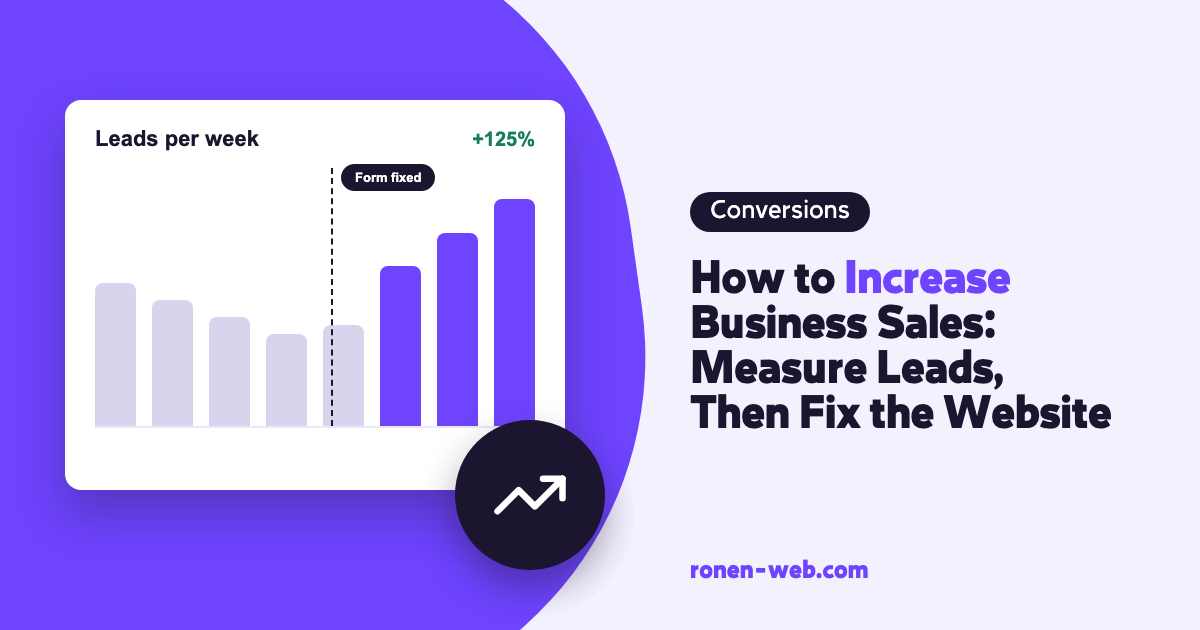
When you are looking to increase business sales, the first step is to know how many inquiries and sales your website brings in today, and to check that every inquiry that was sent actually reaches you, before you raise an ad budget or add promotions. An inquiry that got stuck in a form that does not submit, or landed in an inbox nobody reads, will not turn into a sale even if everything else works.
The problem is that most business owners do not know where it breaks, because they have no measurement. That is why this article starts with measuring inquiries and sales, goes through the check that an inquiry reaches its destination, and ends with a way to prove in numbers that a fix really increased sales. The checks for bringing in more inquiries from the site appear here briefly, with a pointer to the full guide.
Step one: measure inquiries and sales
Try to answer a simple question: how many inquiries came from the website last month, and from which channel? If you do not have an exact answer, that is the first problem. Without a starting number you cannot know whether a fix helped.
You get this number in Google Analytics 4, by marking your important actions as key events. According to the Google Analytics help, a key event is an event that measures an action that is especially important to the success of your business, and any event that is collected can become one. To mark an event, go to Admin, click Events under Data display, find the event and click the star icon next to it. For a new event, click Create event and turn on Mark as key event.
Anyone trying to increase sales without knowing how many inquiries come in today is really guessing. It is also worth understanding exactly what leads are, because not every inquiry that arrives counts as a real lead. Measurement is what lets you prove the result of all the other checks in this article.
It is worth marking a form submission, a click on a phone or WhatsApp button, and, in a store, a purchase. Google Analytics notes that it can take up to 24 hours for a key event to appear in the standard reports, so do not draw conclusions the same day.
What on the site kills inquiries before they are sent
When measurement shows few inquiries, the cause is usually in one of these checks. Here they are in brief, and a full explanation of each is in the guide on how to generate leads from your website.
- You do not show up on Google: in the Page indexing report in Search Console you see which pages are indexed, and you check the important pages one by one with the URL Inspection tool. A page that is not indexed cannot bring inquiries from search. The causes and fixes are in the article on why my website is not showing on Google.
- You show up and nobody clicks: a page with many impressions and few clicks in the Performance report needs a descriptive, concise title that is unique to the page and says the same thing as the h1 heading. And if you are not in the places where people see you at all, I wrote about how to improve your Google ranking.
- The site is slow or jumpy: run your important pages through PageSpeed Insights and check the Core Web Vitals thresholds from web.dev. Start fixing on the page that brings in the most inquiries, one item at a time, and make any change to a plugin or theme on a copy of the site first, not on the live site.
- Content is missing on mobile: Google uses the mobile version for indexing and ranking. If you hid prices, hours or answers on mobile, bring the important content back, even if inside an accordion.
- It is not clear who you are: on a service page it should be clear who provides the service and how to get in touch, with a real About page, and a visible name and contact details.
Before you increase sales: make sure every inquiry reaches its destination
This is the simplest check and the most neglected. Send the form yourself, from your computer and from your phone, and check that the inquiry arrives in the inbox you actually read. Click the phone button and the WhatsApp button and check that they open the right number. And if GA4 shows visits to the contact page and not a single submit event, it is a sign that something is broken or that measurement is not connected.
Fix what did not work, and after each change send another inquiry to test. An inquiry that does not reach the inbox you read is a sale that will not happen, so it is worth repeating this check after every site update. How to make the form itself easier to fill in is something I explained in the leads guide I linked above.
How to measure that a fix increased sales
Increasing business sales is measured in inquiries and sales, not in gut feeling. To know that a fix worked, work like this:
- Before the fix, write down the numbers: key events in GA4, clicks and CTR in Search Console, and Core Web Vitals data in PageSpeed Insights.
- Record the date of the fix, so you know from when to compare.
- Compare a parallel period after the fix with the period before it. The field data in PageSpeed Insights covers 28 days, so the change will show up there gradually.
- When possible, fix one thing at a time. When you change five things together, you cannot know what helped.
If the traffic from Google itself is low, I have a separate article on how to bring organic traffic to your site.
When to stop and call an expert
You can start these checks on your own. In the following situations it is worth stopping and getting help:
- You do not have access to Search Console or Google Analytics, or you are not sure measurement is connected correctly.
- The form does not submit, or inquiries do not arrive, and you cannot find out why.
- PageSpeed Insights shows problems, and the fix requires touching the theme, the plugins or the hosting.
- Important pages are marked Not indexed and the reason is not clear to you.
- You fixed, you measured, and the numbers are not moving.
In these situations every week of guessing is another week of inquiries that do not arrive.
Frequently asked questions
Where do I start to increase business sales through the website?
With measurement. In Google Analytics 4, mark the important actions (form submission, a click on the phone, a purchase) as key events, so that you have a starting number to compare against.
How do I know if my site shows up on Google?
In the Page indexing report in Google Search Console you can see which pages are indexed and which are not. For a specific page, use the URL Inspection tool.
How fast does a site need to load?
According to web.dev, for a good experience LCP should happen within 2.5 seconds, INP should be 200 milliseconds or less, and CLS should be 0.1 or less.
Why do I have many impressions on Google and few clicks?
It means Google shows your page and visitors do not choose it. Start with the title: according to Google it should be descriptive, concise and unique to each page.
How long until I see the result of a fix?
There is no fixed schedule. For the comparison itself, a new key event can take up to 24 hours to appear in the standard GA4 reports, and the field data in PageSpeed Insights refers to the last 28 days.
Should I increase my ad budget before fixing the site?
If the form does not work or the site is slow on mobile, every visitor you bring in with ads will run into the same problem. It is better to check and fix first.
If you went through the checks and could not find or fix what is killing your inquiries, I handle this: I check the site against the data, fix it, and show you in numbers what changed.