
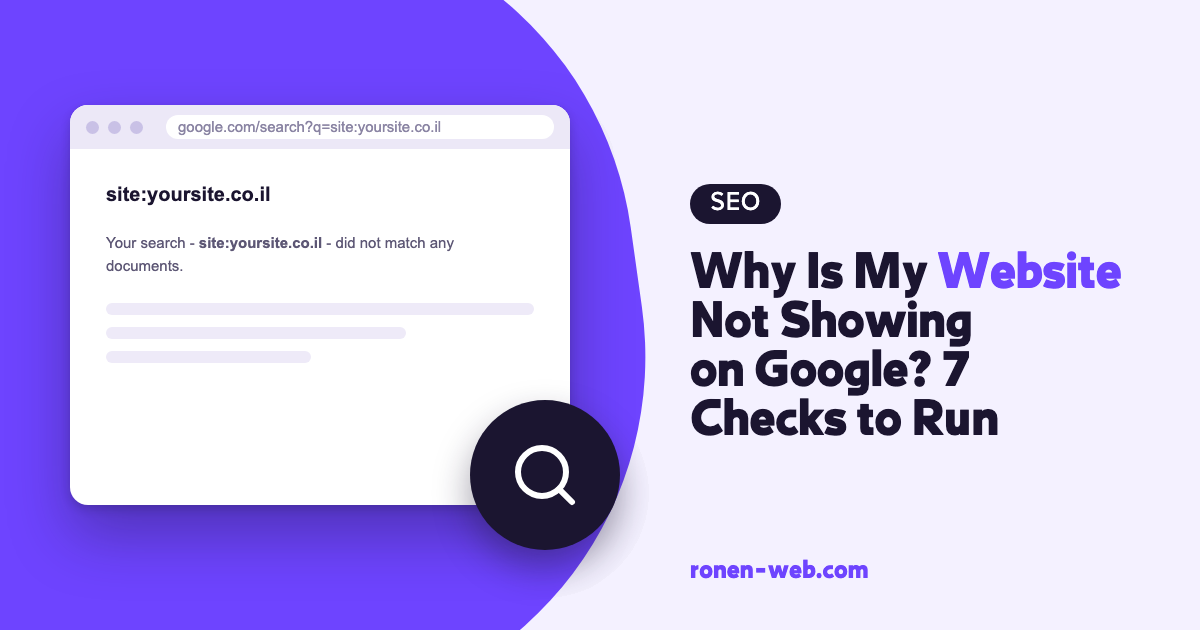
When a website does not show up on Google, the cause is almost always one of three situations: Google does not know about the site yet, something on the site is blocking it from being indexed, or the site is already indexed but ranks too low for you to see it in search. Each situation is handled differently, so before you fix anything you need to understand which one you are in.
The first check takes a minute: a Google search with the site: operator. After that comes Google Search Console, Google’s free tool that shows you what Google knows about every page on your site. This guide goes through the checks in the order in which it makes sense to do them, so you know which situation you are in and where to go from there.
One more thing worth knowing up front: Google says in its documentation that nobody can guarantee a first place in search. What you can do is remove the obstacles and give Google a good reason to show you.
Step 1: Check whether Google knows your site at all
Type site: into Google followed directly by your domain, for example site:example.com. According to Google’s official SEO guide, if results appear that point to your site, the site is in the index.
- No results at all: Google has not indexed the site yet, and you continue with steps 2 and 3.
- There are results, but not all your pages: some pages did not get in, and step 4 explains how to understand why.
- There are results, but you do not show up when you search for your service: the site is indexed and the problem is ranking, which is covered in step 5.
The site: operator gives a quick picture, but not a complete one. You get the exact information in Search Console, so it is worth connecting your site to it right now, even if everything looks fine.
Step 2: Your site is blocking Google without you knowing
This is the cause that is most worth ruling out first, because the fix is short. It usually appears in one of three forms:
- The WordPress setting. In the dashboard, under Settings and then Reading, there is a box called Discourage search engines from indexing this site, and it should be unchecked. According to the WordPress documentation, when it is checked WordPress adds a
noindex,nofollowtag to every page. It is often checked during the build and then forgotten. - A noindex tag on specific pages. An SEO plugin or a setting on a single page can add it.
- A robots.txt file that blocks crawling. A line like
Disallow: /underUser-agent: *blocks the whole site.
Step 3: Google has not reached the site yet
A new site that no other site links to can wait a while until Google discovers it. Google says in its documentation that crawling can take anywhere from a few days to a few weeks. You can help in three ways: submit a sitemap in Search Console under Sitemaps, request crawling of the important pages with the URL Inspection tool, and link to the site from places that already exist, such as your Google Business Profile. Even a crawl request does not guarantee a place in the results, and Google states explicitly that it does not guarantee immediate inclusion, or inclusion at all.
Step 4: The pages were crawled but did not get indexed
If some pages are in the index and some are not, the Page indexing report in Search Console shows the reason for each page, for example Crawled – currently not indexed, Discovered – currently not indexed or Not found (404). Each status is handled differently, and I covered all of them, with the way to fix each one, in the guide on getting your site indexed on Google. After the fix you can click Validate Fix in the report, and Google will check the pages again.
Step 5: The site is indexed, but ranks low
This is the common situation for sites that went live some time ago: site: returns results, but when you search for your service you are not on the first page. Here the problem is ranking and not indexing, and the treatment is longer. It includes content that answers what people search for, a mobile version that is not missing content, speed, a unique title and description for every page, and links from other sites. It is not worth buying those links, because Google defines buying and selling links for ranking purposes as a violation of its spam policy.
If this is your situation, there is a separate guide that goes through how to improve your Google ranking step by step, and a guide on how to bring organic traffic to your site for the long term. And if you prefer one checklist for all the steps, I also wrote a guide on how to do organic SEO on Google.
Step 6: A manual action or a security issue
If your site appeared on Google and then disappeared all at once, you need to rule out a manual action, meaning a penalty Google has applied to the site. Search Console has a report for this called Manual actions, and Google also sends a message to the tool’s message center. Among the reasons Google lists in its spam policy are buying links, keyword stuffing and content meant to manipulate rankings.
If there is a manual action, fix what caused it and submit a reconsideration request from the same report. While you are there, it is worth a look at the Security issues report too, because a hacked site can disappear or be flagged in the results.
If there is no manual action, a sharp drop can also come from a new technical fault, such as a plugin update that added noindex, a change of URLs without redirects, or a server that went down. In that case, go back to step 2 and go through it again.
Step 7: Local search and your Google Business Profile
If you provide a service in a specific area, many customers will see you on the map rather than in the regular results. According to the Google Business Profile help, local ranking is determined mainly by three things: relevance, distance and prominence. Google says a business with complete and accurate details is more likely to appear in local search, and that more reviews and positive ratings can help.
If you do not have a profile yet, open one, fill in all the fields, link to your site from it and ask satisfied customers to write a review. In competitive fields such as real estate, this local ranking is especially critical, and there is a dedicated guide on SEO for real estate agents.
When to stop and call an expert
Most business owners can do steps 1 to 3 on their own. In the following situations, it is worth stopping and bringing in someone who knows both development and SEO:
- The Page indexing report shows hundreds of pages with errors, or reasons you do not understand.
- There is a manual action or a security issue on the site.
- The site disappeared after a move to a new domain, a new server or a new theme.
- You fixed everything here, a few weeks passed, and the site still does not show up.
If you would like me to check your site, you can contact me here.
Frequently asked questions
Why is my website not showing on Google even though it is live?
The common reasons: Google has not crawled it yet, it is blocked by the Search engine visibility setting in WordPress, a noindex tag or robots.txt, or it is indexed but ranks low. A site: search and a check in Search Console will tell you which situation you are in.
How long does it take for a new site to show up on Google?
Google says crawling can take anywhere from a few days to a few weeks, and that a crawl request does not guarantee inclusion in the results. In its SEO guide, Google adds that some changes take effect within hours and others within a few months.
How do I check whether Google knows my site?
Search Google for site: followed by your domain. If results from the site appear, it is in the index. To check a specific page, use the URL Inspection tool in Search Console.
Can you pay Google to appear in the organic results?
No. Paid ads are labeled separately and do not affect organic ranking. Google also warns against anyone who claims to have a special relationship with it or who offers priority submission.
Does the platform the site is built on matter?
What matters is whether Google can crawl the pages, whether the content answers the search and whether the site works well on mobile. On any platform, it is worth checking that there is no setting blocking indexing, like the checkbox in WordPress.
My site was on Google and suddenly disappeared. What should I check first?
First the Manual actions report and the Security issues report in Search Console. Then the Page indexing report, to see whether pages dropped out of the index because of noindex, a block or a server error.