
If you want to improve your Google ranking fast, the right place to start is not a new page, but the pages that already exist and that Google already shows, just not high enough. A page on the second page of the results is closer to page one than a page that has not been written yet. So the fastest steps are to make sure there is no technical obstacle, find the pages that are close, and improve their title, content and internal links.
And the other side has to be said too: Google writes in its documentation that nobody can guarantee a first place, and that some changes have an effect within hours and some only after several months. “Fast” here means working in the right order, so the time you invest goes first to the actions closest to a result.
This guide deals only with pages that already appear, a little below page one or on page two, and with the changes you can make to them quickly. If you want the full picture of what a first place requires, from indexing to the business profile, there is a separate guide on how to rank first on Google.
Step 1: Find the pages that are already close to page one
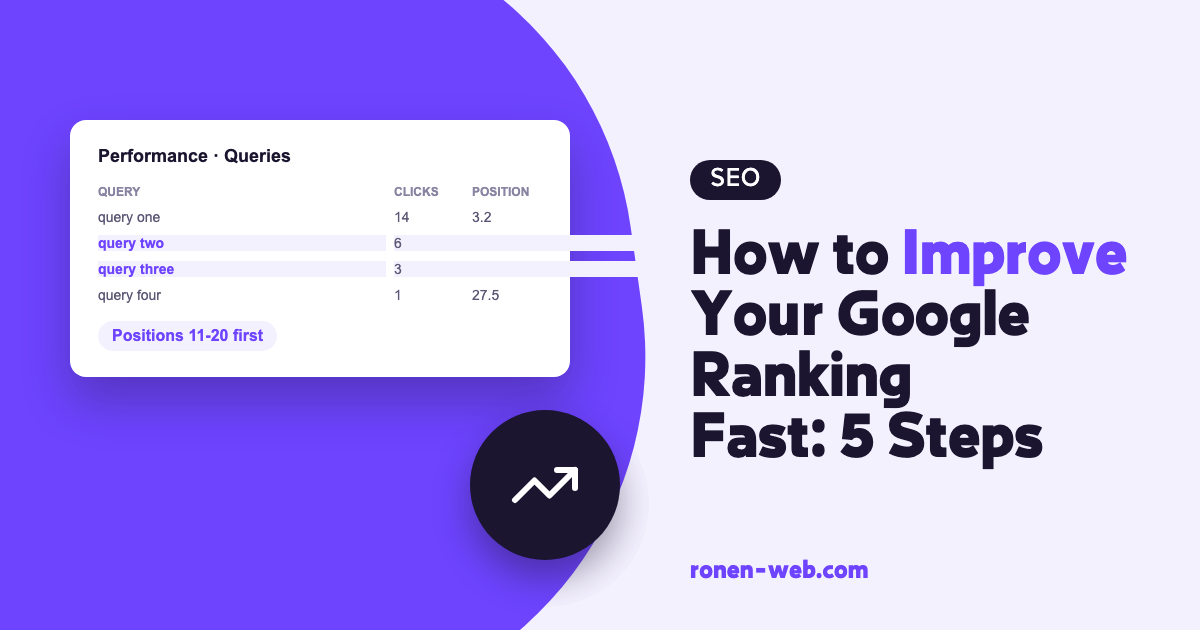
All the work here is done in Google Search Console, and if your site is not connected to it yet, that is the first thing to do. After connecting, open the Performance report. The report shows four metrics: Clicks (how many times people clicked your site from the search results), Impressions (how many times your site appeared in the results), CTR (clicks divided by impressions) and Average position (the average position of your highest result).
Turn on all four metrics, go to the Queries tab and sort by position. You are looking for queries with many impressions and an average position a little below page one. There a small improvement can move you, so it is worth starting with them. Then the Pages tab shows which page each query belongs to.
From all this, write a short list of three to five pages, with the queries of each one and the current position. This is your work list for the next steps, and it is also the comparison point that lets you know in a few weeks whether the changes helped. It is better to improve five pages well than to touch fifty a little.
Step 2: Make sure the close pages are indexed
There is no point improving content on a page that Google does not index. Put the URL of each page on the list into the URL Inspection tool in Search Console, and it shows whether the page is indexed and whether there is a problem with it. Three things are worth checking in particular:
- That in WordPress the box Discourage search engines from indexing this site is not checked, under Settings and then Reading. According to the WordPress documentation, when it is checked the site adds a noindex tag to its pages.
- That there is no noindex tag on the important pages, and that the robots.txt file does not block them.
- That in the Page indexing report there are no important pages with errors like Not found (404) or Server error (5xx).
If the site does not appear at all, I wrote a separate guide that goes through it in order: why your website is not showing on Google.
Step 3: Rewrite the title and description on the close pages
The title is the first thing the searcher sees. Google generates the title of a result automatically from several sources, but the page’s title element is one of the main ones. Google recommends that every page have its own title, descriptive and concise, different from the titles of other pages, and without repeating the same words again and again.
For the meta description Google recommends short text, unique to each page, that summarizes the important points in it. If in step 1 you found a page with many impressions and few clicks, the title and description are the first thing worth rewriting, so that they describe exactly what the searcher gets on the page.
Step 4: Fill in what the page is missing for the query
Here you take a query from the report and ask whether the page answers it all the way. Google asks for content written first and foremost for people, and suggests a few questions for self-assessment: does the page bring original information, does it give a complete answer, and does the person reading it leave with what they searched for. If the answer is no, these are the things that are usually missing:
- A direct answer to the query right at the start of the page.
- What the customer needs to know and is not there: steps, prices if you publish them, service areas, questions customers ask before they commit.
- Order on the page, with clear subheadings and short paragraphs.
- Images on the page need an alt tag that describes what you see in them.
And there are two things that do not help, according to Google itself. Google has no preferred length for content, so there is no reason to write to a word count. And changing the date on a page without the content really changing will not make it look fresher.
Step 5: Point internal links at the close pages
Google writes that it uses links to discover new pages and as a signal of their relevance, and recommends that every important page have a link from at least one other page on the site. This is a step that is completely in your control:
- To the pages you chose in step 1, link from other pages on the site that deal with a close topic.
- The link text should describe where it leads. Google recommends descriptive, concise and relevant text, and warns against stuffing keywords into it.
- Important pages should be reachable from the menu or the home page, and not only from the sitemap.
Usually there is no need to write new content for this. It is enough to go through existing pages and articles, find a sentence that mentions the topic of the page you want to strengthen, and turn it into a link. Another navigation layer that helps both the user and Google is breadcrumbs, which are also a kind of internal link.
What about speed, mobile and the business profile?
These are important, but they are work on the whole site and not a quick change on a single page. Google uses the mobile version for indexing and ranking, and the Core Web Vitals metrics are used by its ranking systems, but it also writes that it will show the most relevant content even when the page experience is weak. For a local business, a large part of the exposure comes from the map and the business profile. I covered all of these in the guide on what a first place requires, which I linked to in the introduction.
What not to do when you are in a hurry
The shortcuts that promise fast ranking are exactly what Google defines as spam in its policy:
- Buying links. Google defines buying or selling links for ranking purposes, including payment in money, goods or services, as a violation of the policy.
- Keyword stuffing. Filling the page with keywords to manipulate ranking is a violation of the policy.
- Anyone who promises a first place. Google warns against anyone who guarantees ranking, claims a special relationship with Google or offers priority submission.
A violation can lead to a manual action, which shows up in Search Console in the Manual actions report. To get out of it you need to fix the problem and submit a reconsideration request, and that takes longer than any shortcut.
How long it really takes
Google writes in its SEO guide that some changes can have an effect within a few hours and some within a few months, and that it is usually worth waiting a few weeks before checking whether the change helped. Measure the pages you changed in the Performance report and compare period to period. And it is not worth changing the same page every few days, because then you will not know what worked.
If your goal is more traffic over time and not just one page, there is a separate guide on how to increase organic traffic to your website. Another channel that can bring a lot of traffic in waves, regardless of regular ranking, is Google Discover.
When to stop and call an expert
You can do steps 1 to 5 on your own with Search Console and the site editor. In the following situations it is worth bringing someone who knows both development and SEO:
- URL Inspection or the Page indexing report shows errors you do not know how to fix.
- The speed problem comes from the theme, the plugins or the server, and not from heavy images.
- There is a manual action on the site.
- You improved the pages, a few weeks passed, and the position did not move.
If you want me to check your site, you can get in touch here.
Frequently asked questions
How do I improve my Google ranking fast without paying?
Start with the Performance report in Search Console, find pages that appear a little below page one, and improve their title, description, content and internal links. All of these tools are free.
How long does it take to see a change in ranking?
According to Google, some changes have an effect within hours and some within a few months, and it is usually worth waiting a few weeks before judging whether a change helped.
Does paid advertising on Google improve organic ranking?
No. According to Google Ads help, investing in paid advertising does not affect ranking in the organic results.
Is it worth buying links to climb fast?
No. Google defines buying links for ranking purposes as a violation of its spam policy, and it can lead to a manual action against the site.
Does site speed affect ranking?
Google writes that the Core Web Vitals metrics are used by its ranking systems, but also that it will show the most relevant content even when the page experience is weak. Speed matters, but content that answers the search matters more.
How many words should a page have?
Google writes that it has no preferred word count. Write as much as it takes to fully answer the searcher’s question.