
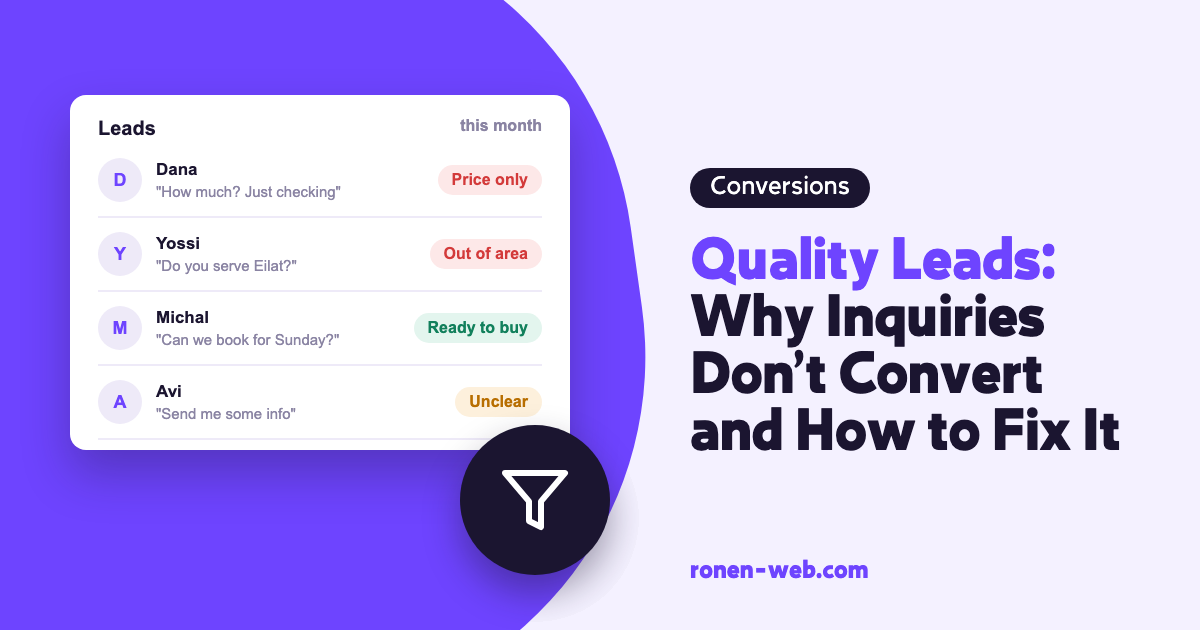
If you get inquiries and most of them don’t fit, the problem isn’t necessarily the quantity. To get quality leads, you need to check who comes to the site, which search they came from, and what the page and the form told them before they left their details.
Low-quality leads can come from a few sources you can identify: bots filling in forms, ads shown for unrelated searches, pages that attract traffic that isn’t looking for your service, and a page or form that doesn’t filter people in advance. And even when all of those are fine, the advertising system doesn’t know which inquiries turned into customers unless you tell it.
I’ve put the checks here in the order you should do them, and for each one I explain how to find the problem and how to fix it.
1. You have no definition of a quality lead, so there is nothing to measure
Before you fix anything you need to know what counts as a good inquiry in your business. Without that, every change is judged by feel.
One question is enough to check this: how many of last month’s inquiries turned into a quote or a deal? If you can’t answer, you have no data on quality.
The solution is a simple list, in a spreadsheet or a CRM, where every inquiry is marked by where it ended up: not relevant, received a quote, closed. Add a column for the source of the inquiry as well, so you can compare channels later. The source can be organic Google, an ad, your Google Business Profile or a referral from a friend. The more consistent the marking, the faster you can see which channel brings inquiries that close and which only makes the pile bigger. Google Ads works in a similar way: according to Google Ads help, the Qualified leads goal tracks leads that were classified as qualified outside Google Ads, in your customer management system, and the Converted leads goal tracks leads that completed a stage you chose in the sales process.
2. Bots are filling in the form
The simplest type of low-quality lead is an inquiry that no person sent at all.
You recognize them by meaningless names, links in the body of the message, invalid phone numbers, or many inquiries in the same minute.
In an Elementor form you can add a Honeypot field. According to Elementor’s documentation, it is a hidden field that people don’t see and therefore don’t fill in, while a bot that doesn’t know the field is hidden fills it in and gives itself away. There are also reCAPTCHA and reCAPTCHA V3 fields designed to stop bots. After adding one, compare the number of junk inquiries in the weeks before and after.
3. Your ads show for searches unrelated to your service
If you advertise on Google Ads, some of the clicks can come from searches that only sound similar to what you sell.
You see this in the Search terms report, which according to Google Ads help shows the searches that led to your ad being shown, with click and impression data. Go through it and mark every search where the person who typed it won’t buy from you.
Add those searches as negative keywords. Google explains that negative keywords exclude search terms from the campaign so you can focus on the words that matter to your customers. You can do this from the report itself: select the searches and choose Add as negative keyword. Another detail worth knowing is the match type: according to Google, a broad match negative keyword blocks a search that contains all of its words, even in a different order, and an exact match negative blocks only the exact phrase with no additional words. After the change, go back to the report in the next period, and also check the percentage of relevant inquiries on your list.
4. Organic traffic comes from the wrong searches
Even without advertising, a page that ranks for a general search can bring inquiries from people who were looking for information, not a service.
To check this, go to the Performance report in Google Search Console, filter in the Pages tab by the page the weak inquiries come from, and switch to the Queries tab. According to Search Console help, you will see the searches, clicks, impressions and CTR there. If the searches are general questions and the form sits at the top of the page as if every reader is a buyer, you found the source.
The fix is to separate content pages from service pages. On a content page you give the reader the answer, and offer a link to the service page for those who want to continue. The form goes on the service page. That way inquiries come from people who already read about the service. If your service pages don’t rank, there is a section about it in my guide to improving your Google ranking.
5. The page doesn’t answer the questions that filter people out
A visitor who doesn’t know whether you work in their area, or who the service is for, will leave their details only to ask that. For you it’s an inquiry, and for them it’s a question.
To find out, read the latest inquiries you marked as not relevant. If a large share of them ask the same question, the answer is missing from the page.
The solution is to write on the service page what does the filtering: which areas you serve, who the service is for and who it isn’t for, and what happens after they leave their details. Someone who doesn’t fit will realize it on their own, and someone who stays already knows why they are contacting you. That way you get more quality leads even without a change in traffic volume. Another option is a website chatbot that answers those questions right away, before anyone leaves their details.
6. The form doesn’t ask what you need to know
A form with only a name and a phone number lets anyone get in touch, and leaves you to find out on the phone whether the inquiry is relevant.
If in the first call you keep asking the same question to understand whether the person fits, that question is missing from the form.
It is enough to add one field that tells people apart, for example a dropdown of the type of service. But there is a trade-off: in Google Analytics help, too many required fields appear as a possible reason people start a form and don’t submit it. So after every field you add, check in Google Analytics the ratio between form_start and form_submit, and in your inquiry list check how many of them are relevant. If the volume dropped and the quality didn’t rise, the field is unnecessary. And if the form doesn’t pass the details to your system automatically at all, read the guide on a digital form that doesn’t lose inquiries.
7. The advertising system is looking for more inquiries, not quality leads
If Google Ads only knows about form submissions, it will look for more people who submit forms, without knowing which of them became customers.
To check, go to the list of conversion actions set up in the account. If it has only form submission or a click on the phone number, the system receives no information about quality.
Google replaced the “imported leads” conversion goal with two types of goals, Qualified leads and Converted leads, and explains that choosing correctly between them lets tools like Smart Bidding and Performance Max act on deeper stages of the funnel and not only on volume. To pass the data from your system, Google recommends Enhanced conversions for leads. That setup requires a connection between the form, the customer management system and the account, and here it’s worth working with someone who has done it before. If some inquiries arrive by phone or WhatsApp and not through the form, they have their own way of being measured: WhatsApp and phone conversion tracking.
When to stop and call an expert
- You added a Honeypot or reCAPTCHA and the junk keeps arriving in the same volume.
- You advertise on Google Ads and don’t know which clicks became inquiries and which inquiries became customers.
- You need to connect the form to a customer management system and send information about closed inquiries back to Google Ads.
- Content pages bring most of the traffic, and you aren’t sure how to change them without hurting your ranking.
In each of these situations, trial and error costs you the time you spend on calls with people who won’t buy, and an advertising budget that keeps running on the wrong searches.
Frequently asked questions
What is the difference between quality leads and low-quality leads?
There is no single definition that fits every business. A quality lead is an inquiry that fits your service, your area and your budget and can move toward a deal. The exact definition is yours, so it’s worth writing it down and marking each inquiry accordingly.
How do I get quality leads from my website?
Filter out bots with a Honeypot or reCAPTCHA, filter out unrelated searches with negative keywords if you advertise, write on the service page what does the filtering, and add one question to the form that tells people apart.
Should I add more fields to the form to filter?
One field that tells people apart can help, but in Google Analytics help, too many required fields appear as a possible reason people leave midway. Add one field at a time and check the ratio between starts and submissions.
Why do I get inquiries with no name or with strange text?
It can be a sign of bots filling in forms. A Honeypot field in an Elementor form is meant to detect them, because a bot fills in a hidden field that a person doesn’t see.
How do I know whether my Google campaign brings quality leads?
Compare your list, where every inquiry is marked by its outcome, with the source of the inquiry. In addition, you can set a Qualified leads or Converted leads goal in Google Ads, so the system knows which inquiries moved forward.
What is a negative keyword?
It is a word or phrase you add to a Google Ads campaign so your ad isn’t shown for searches that contain it. Google gives the example of an eyeglasses seller who adds “wine glasses” as a negative keyword, so as not to appear for someone looking for wine glasses.
How long does it take to see an improvement in quality?
There is no fixed number, because it depends on the number of inquiries coming in. Change one thing at a time and compare periods of similar length before and after.
If you get a lot of inquiries and few customers and it’s not clear where it breaks, I can check it for you and handle it from the form to the advertising system.